

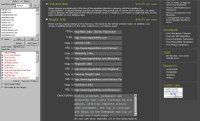
 As we have previously noted in the best Firefox extensions article, we are now providing free access to the powerful web directory form filler extension for Firefox. It is being made available free here exclusively (the extension sells normally for $150). If you would like to post about it, please do not host the extension file on another server. Instead, link to this page for downloading.
Whether you’re a long-time web directory submitter, or just getting started, web directory submission can be a benefit for any business’ web site (or any web site, for that matter).
While we highly recommend AI RoboForm for any other task, it can be frustrating to setup and inadequate (especially for deep links) for web directory submission. This extension is specifically designed for web directory submission. It saves enormous amounts of time by quickly and easily completing web directory form submissions with a single click (no typing required). The extension also features convenient submission management via a sidebar submitters can use to stay organized. When you come to a new directory, add it to the sidebar, and mark your submissions as complete as you go. The extension is proven to be a massive time-saver, and helps tremendously in staying organized. Main title rotation, category support, and category filtering are all supported. The extension fully supports deep links, with deep link title rotation as well as cycling of deep links to prevent the same ones being used on forms with less fields than the number of deep links entered. If you come to a form that is not properly detected, simply right click in the text fields to assign the correct values. Those definitions will be remembered for future submission to the directory.
Although this demonstration is not up-to-date with the very latest version of the form filler extension, it does provide an excellent guide for getting started and usage. If you should have any questions/comments or need help, do not hesitate to let us know.
Download the Extension Here
VERY useful tool! Thanks for making this a freebie.
How to upload in Mozilla?
@Tech blog – Do you mean you want to know how to install the extension? If so, please see the Flash demonstration linked in the article. It shows it being installed. However, there are a couple of way to install extensions for Firefox. One is to drag and drop the extension file onto Firefox itself. I hope that helps.
Thanks for the great extension. 🙂
Thanks, it worked. Usually, an extension gets installed when we download, but yours got downloaded to the desktop. Drag and dropped worked. Great plugin.
@Tech blog – I suspect that is related to Firefox’s handling of sites for installing extensions. There is an internal list of those approved for installing directly. I suspect Gadget Advisor is not in that list for you, and you probably didn’t notice the information bar alert about it with the option to allow.
Thank you – I am sure this will make life a bit easier 🙂
It is a great extension. Thanks.
This is a great extension. Thanks a lot.
I have been using this form filler for a pretty long time now. However, I wanted to leave my comments here specifically for appreciating the helpful demonstration you have put up on mystikmedia.com.
I haven’t yet updated the form filler that I use to the latest version. But, I may do it sooner! 🙂
And yes, it does make life easier!
I have used SubmitEaze, a paid auto form populating program that does the same as this extension. The only difference is the reporting feature that SubmitEaze offers. Any tool that assists in auto filling forms gets a star in my book!
Dan
Thanks for providing such a great extension.
This extension saves us from buying a directory submission software. Thanks for sharing.
Thanks, just what I was looking for
thanks for the tips … now makes my submission much faster… =)
Guys great free share we love it BUT….
Is there only one option for description, but multiple options for title tags???
That almost made this a super tool, but now i dont think so…
please allow for multiple rotated descriptions too, im sure its easily done and would enhance the whole process and point to submitting varied content to directories…
thnks dj
I use 3.5 firefox now. Do you have such version?
not working with the new version of firefox, please update.
I found this a while back and it sure makes life much easier 🙂
WOW!! This is so neat. I recently started my online store and was not getting any sales whatsoever. I barely knew the basics of how to USE a computer but much less had I ever heard of Firefox. Now I am in to the SEO and learning to sorts of ‘computer stuff’. I am finally get some sales!!!! THANK YOU for all your great FREE products!!!
Hi,
Thanks for making this tool free of charge.
I followed the instructions in the demonstration video, but when I click the shortcut on my toolbar, nothing happens. I have tried this with a number of directories as well.
Kind regards,
Anthony
Hello, Do you have the latest version of this extension for firefox 3.5..? Thanks
This is a great gadget and fills the forms in sec’s, i had tried it on multiple directories.
Thanks gadgetadvisor for such a kool gadget.
Fantastic plugin, thank you very much! It’s been a great help to me!
Great anything that helps a tedious task works for me.
Thanks Dude
If you want a free and light automatic form filler add-on for Firefox, then check out Autofill:
https://addons.mozilla.org/addon/262804/
Power users who know Regular Expressions will make the most of it, but even newbies can set up an autofill definition in no time.
Great anything that helps a tedious task works for me.
thanks